Structured template library
Separate templates for CT, MR, ultrasound, DR, and mammography, with fields, canned phrases, and normal blocks customizable per institution and per radiologist.
The screen a radiologist actually lives in. Open the study from the worklist, load a structured template matched to the modality, dictate or type, compare against priors side by side, and move the report from draft to signed with every step on the record.
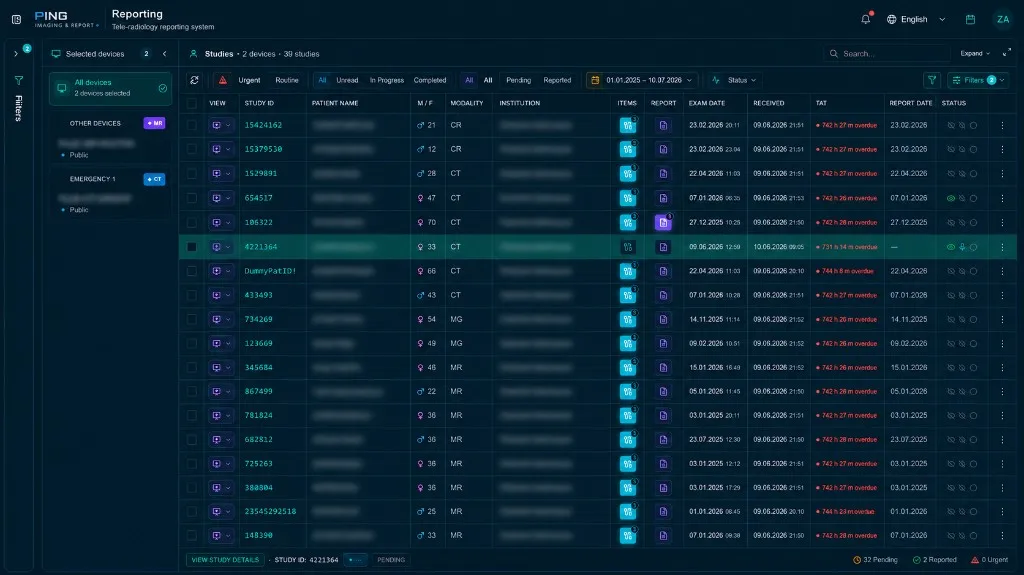
Built to cut keystrokes for the radiologist and standardize what comes out the other end.
Separate templates for CT, MR, ultrasound, DR, and mammography, with fields, canned phrases, and normal blocks customizable per institution and per radiologist.
Speech input tuned to radiology terminology; the audio is attached to the report and the transcribed text stays fully editable.
The report editor and Web Viewer open in one session, so measurements, angle and ratio calculations, and key images move straight into the report.
Draft, in review, signed, and addendum states, covering the resident-writes / consultant-signs pattern with full report version history.
Branded PDF/HTML archive, HL7 ORU delivery to the HIS, patient share links, and archiving as DICOM SR.
Reach the same patient's earlier exams and reports in one click and write follow-up reports against what actually changed.
Designed for healthcare organizations that need reliable, scalable medical image management.
Department-wide reporting order: templates by exam type, resident-to-consultant review, and signed reports flowing straight back to the HIS.
Pull studies from several institutions into one reporting queue and produce reports with per-institution templates and letterheads.
Structured fields make reports searchable, so turnaround time, amendment rate, and second-read agreement become measurable.
A report is a medical and legal document — the workflow is built around that.
A signed report is locked; corrections are added as an addendum and the original text is preserved.
Authoring, review, signing, and read-only access are managed separately and can be scoped per institution.
Who changed which field and when is retained alongside the report version history.
Tell us about your sites, volume, and requirements — we'll prepare a custom quote.
The reporting module drops into your existing PACS, RIS, and HIS setup.
Tell us about your current PACS and HIS setup and we will draft the template structure, review workflow, and integration plan.